From enquiry to handover
Start with estimating and enquiry review, convert accepted work into a project, then keep drawings, purchasing, work orders, QA, NCRs and handover information connected as the job progresses.

FabQT connects the commercial, technical, production and quality information behind a fabrication project so your team can work from one joined-up cloud platform instead of separate spreadsheets, folders and paper records.
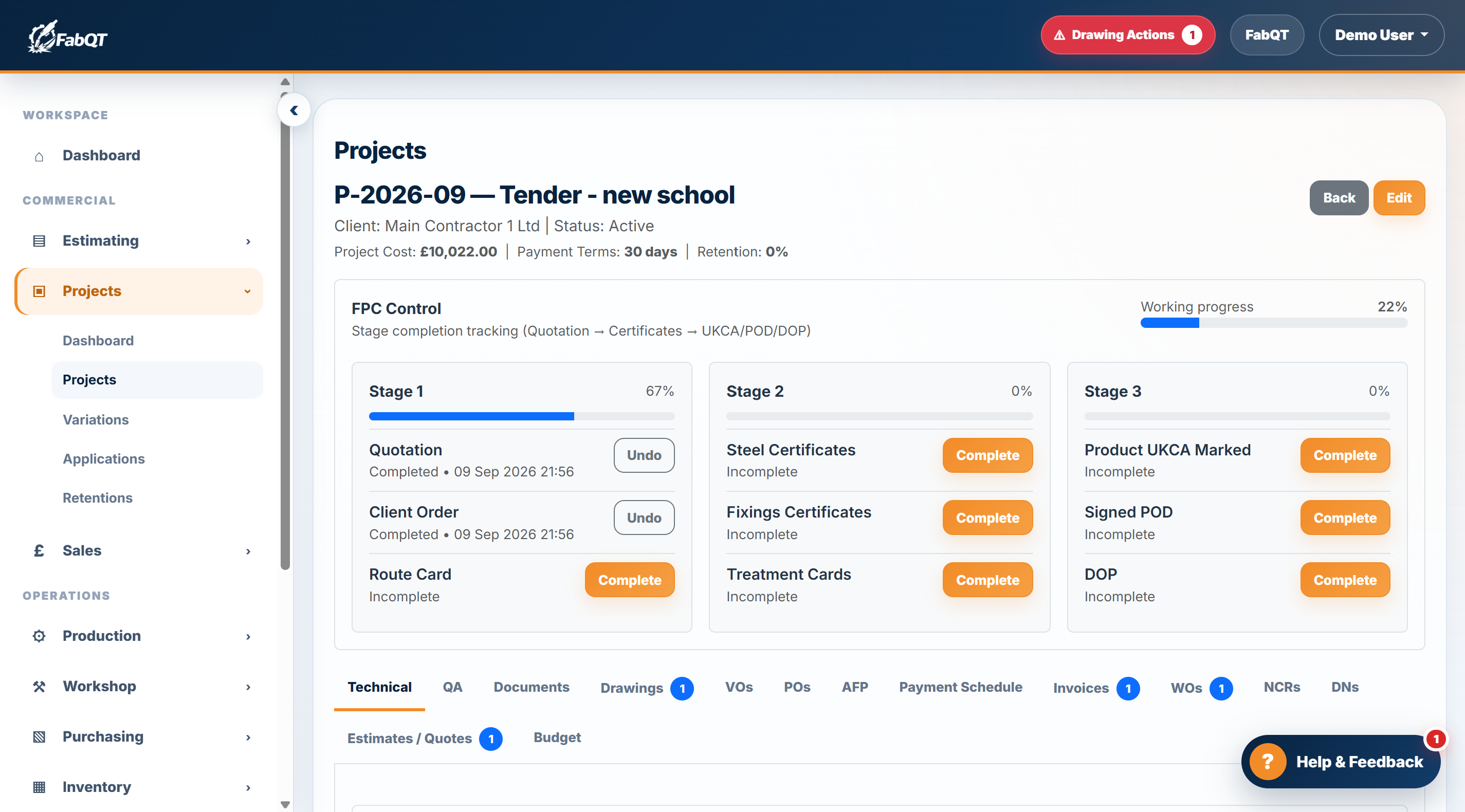
Keep the information your team needs connected throughout the project rather than spread across separate systems.
Start with estimating and enquiry review, convert accepted work into a project, then keep drawings, purchasing, work orders, QA, NCRs and handover information connected as the job progresses.
Project technical requirements, drawing registers, quotations, purchase orders, work orders, delivery records and project documents can be accessed around the same project record.
FabQT is focused on the processes steel fabrication businesses use every day, including execution class information, material grades, inspection requirements, supplier control and production progress.
FabQT is designed around day-to-day fabrication control, giving office, workshop, QA and subcontract teams appropriate access to the records they need.
See how the connected parts of FabQT support the wider fabrication workflow.
Connect day-to-day workshop activity with production and employee management. Feature availability depends on your plan.
Let employees clock in and out through a shared workshop screen without needing an individual FabQT user account.
Record time against work orders, compare actual hours with labour budgets and review forecast overruns before they affect project margins.
Employees can submit holiday requests through the kiosk. Managers review requests, with approval or rejection notifications sent to the employee’s recorded email address.
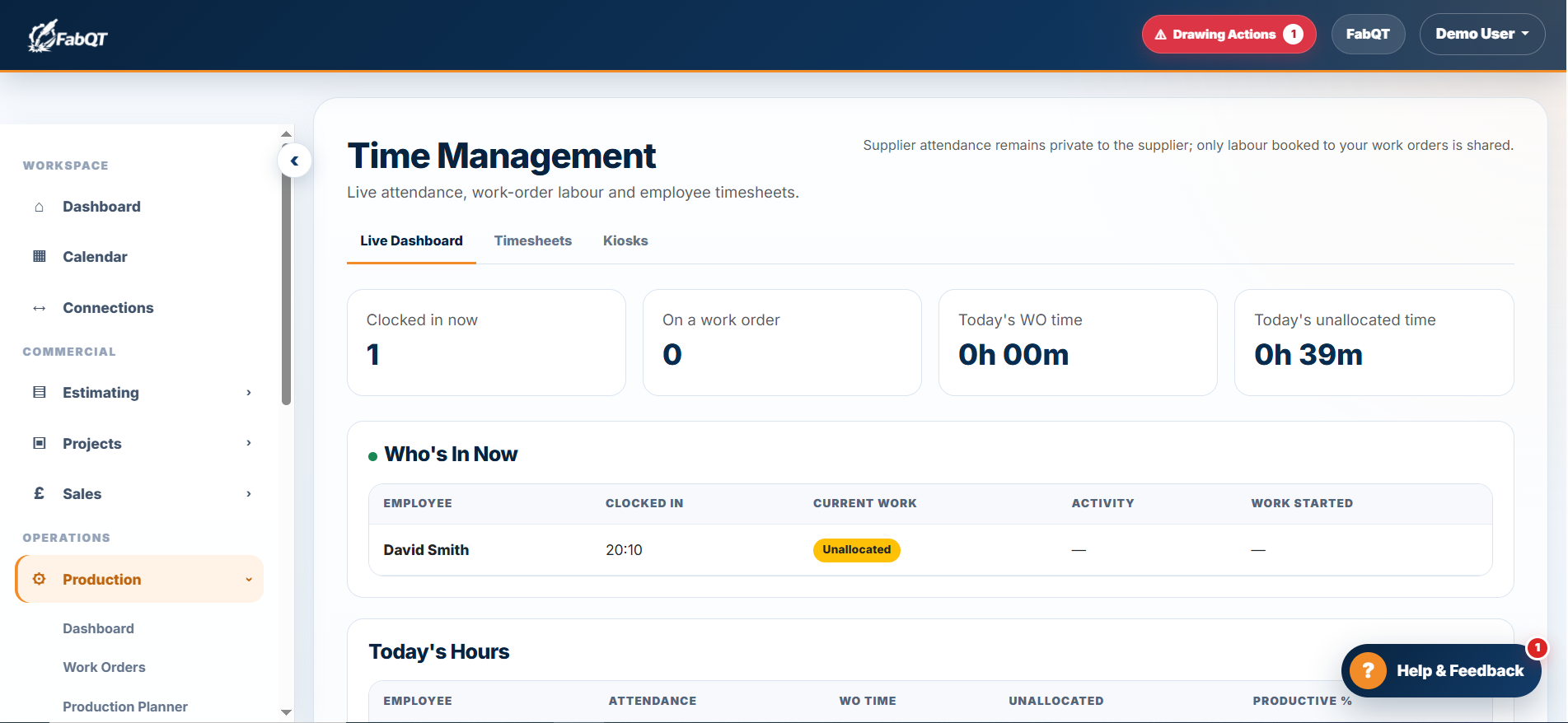
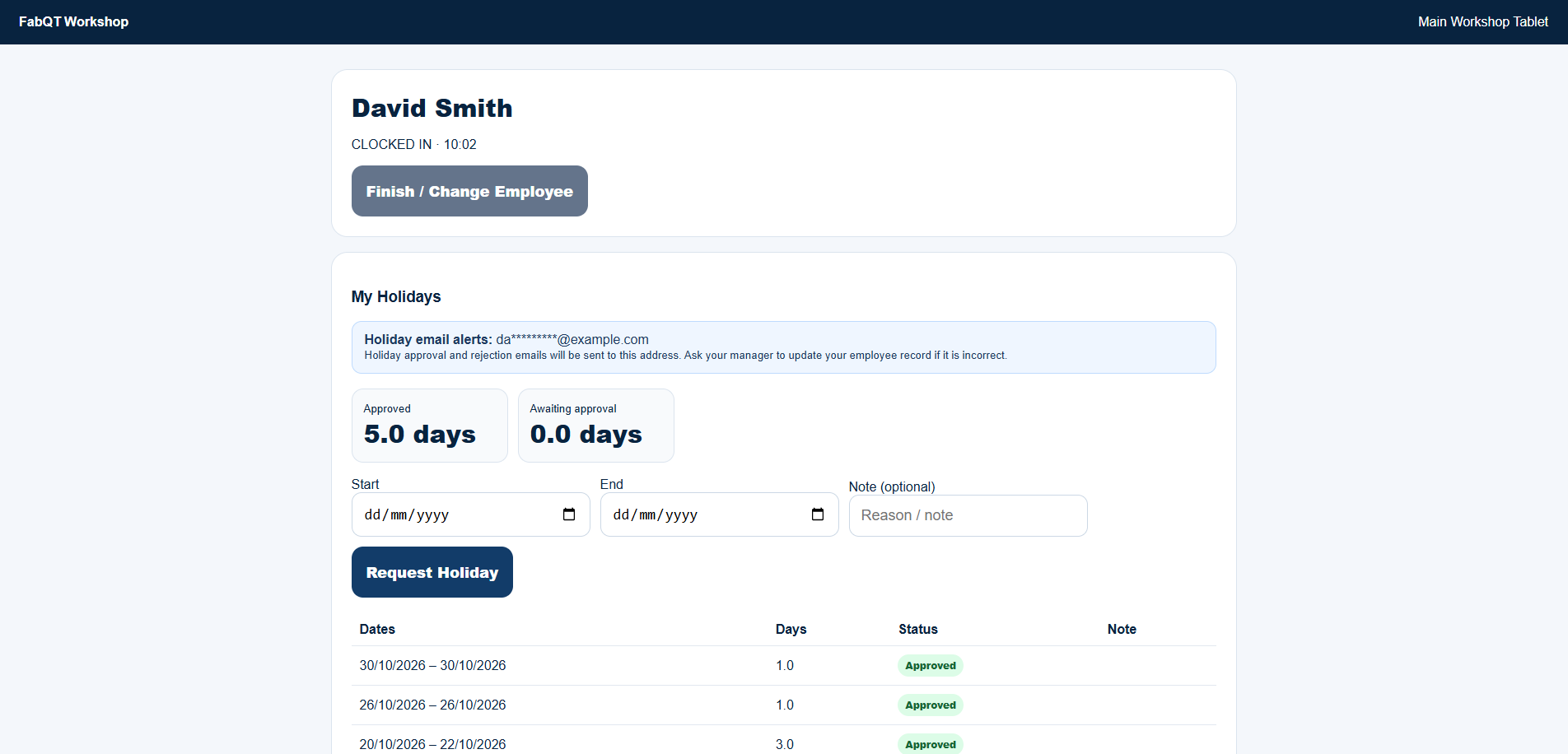
Unlimited workshop employees on eligible plans. Workshop employees using the shared kiosk do not each need a FabQT user account. Office and management accounts remain subject to your plan’s user limit; kiosk, time-tracking and HR availability depends on your subscription.
Compare plans and user allowances →Start a 14 day trial or book a demonstration to explore the modules that fit your business.